Vertical Accordion – Template 01
Frequently Asked Questions
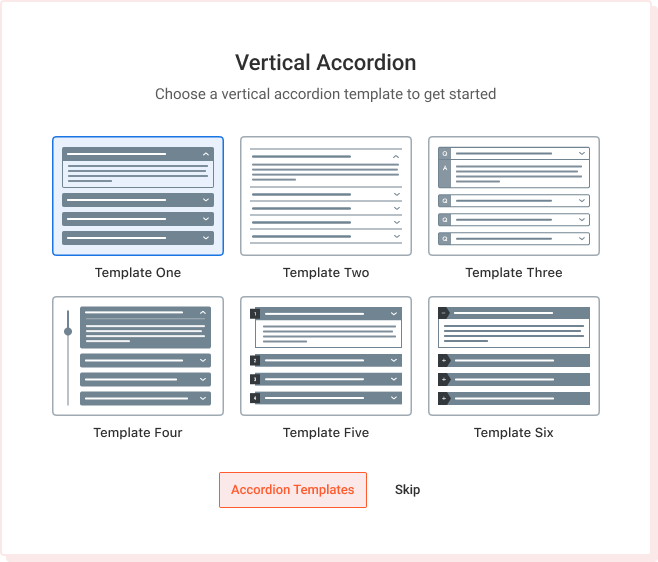
Easy Accordion helps website owners present large volumes of content in a clean, collapsible layout. Instead of overwhelming users with long pages, the accordion organizes information into expandable sections. This improves readability and keeps visitors engaged for longer periods.
Search engines also benefit from structured layouts, which help index content effectively. The plugin supports smooth animations that enhance user experience without slowing down the website.
The plugin includes multiple layout presets, color controls, typography options, and spacing adjustments. Users can customize icons, borders, shadows, and animations with a few clicks. Premium settings offer advanced design tools for branding, theme matching, and professional presentations. The real-time preview simplifies experimentation.
Yes, Easy Accordion is compatible with almost all modern WordPress themes. It follows standard WordPress coding practices to ensure smooth integration. Whether using page builders, custom themes, or lightweight frameworks, the plugin adapts easily. Style conflicts are minimized thanks to clean and modular CSS. Users can further customize appearance using custom styling options.
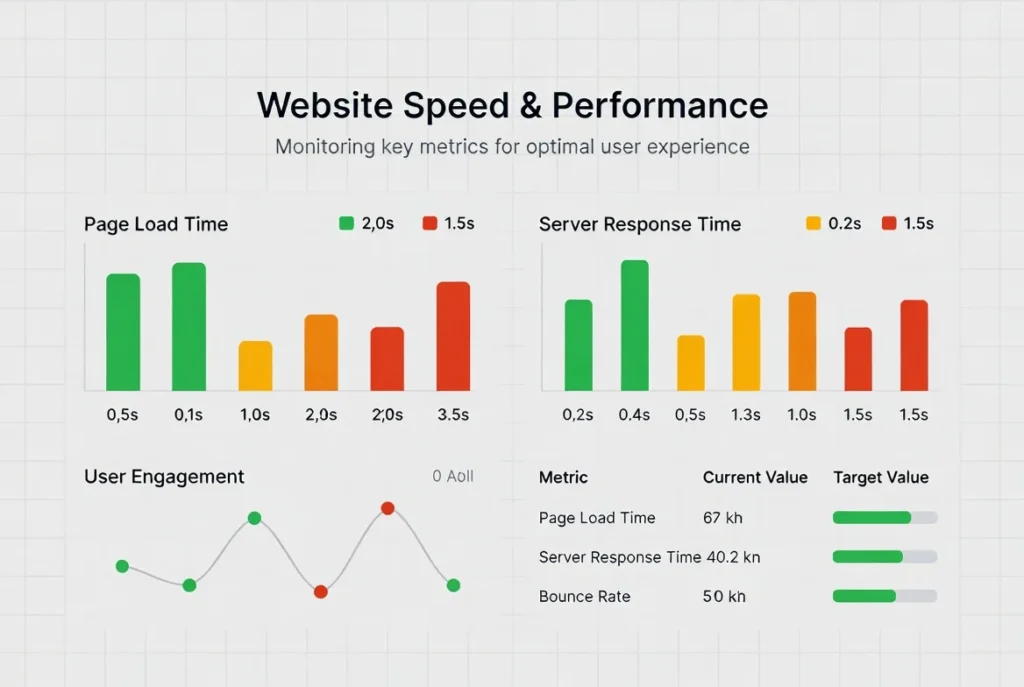
The plugin loads only necessary assets, ensuring minimal impact on page speed. Its clean code structure prevents unnecessary bloat. Lazy loading and optimized JavaScript improve performance on larger pages.
Compatibility with caching plugins further boosts speed. Users benefit from fast interactions even with multiple accordions.
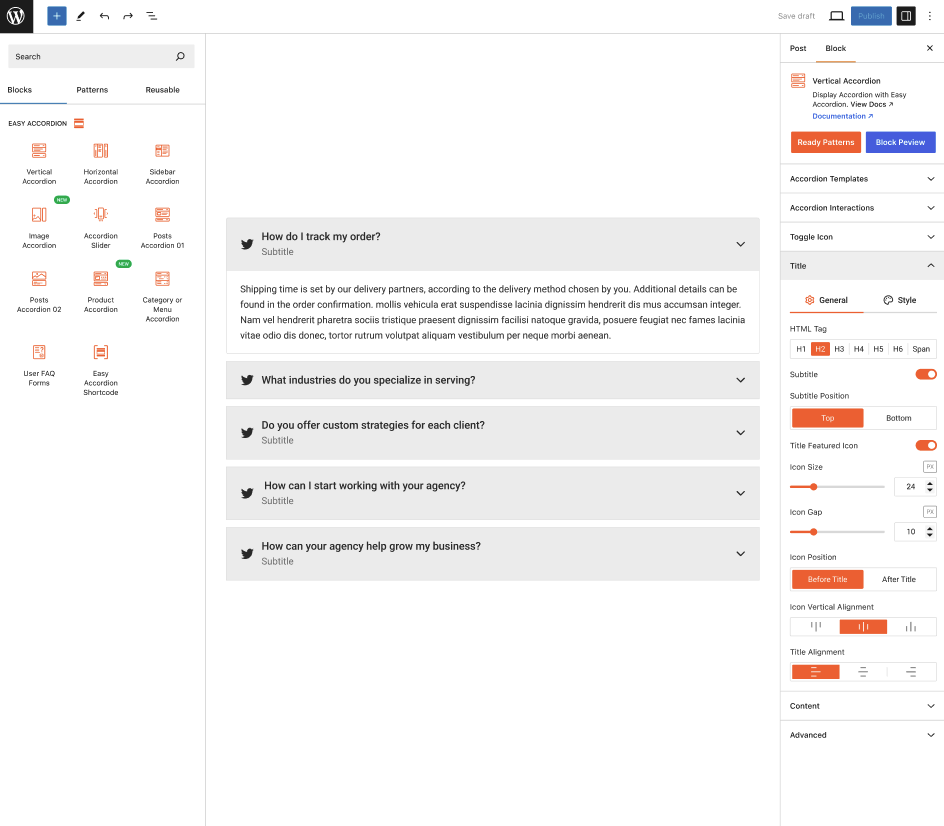
Easy Accordion includes 10+ dedicated Gutenberg block for seamless editing. Users can insert, customize, and preview accordions directly within the block editor. It also works well with builders like Elementor, Divi, and Beaver Builder through shortcode support.
Easy Accordion Gutenberg Block List
- Vertical Accordion
- Horizontal Accordion
- Sidebar Accordion
- Image Accordion
- Accordion Slider
- Post Accordion 01
- Post Accordion 02
- Product Accordion
- Category or Menu Accordion
- User FAQ Froms
- FAQ Search
- Toggle All Button
Users can upgrade by purchasing a license from the official website. After installing the Pro version, additional features like advanced styling, icon sets, animations, and priority support become available. Pro features enhance usability and extend customization possibilities. The upgrade process is simple and requires no technical expertise.
The block editor supports quick duplication of accordion items, allowing users to replicate structure without starting from scratch. This is especially useful when creating documentation, FAQs, or repeating layouts. Duplicated items retain design settings and formatting, saving time during content creation. Editing afterward is quick and intuitive.
Vertical Accordion – Template 02
Frequently Asked Questions
You can add an Easy Accordion block from the Gutenberg editor by clicking the “+” Add Block button and searching for “Easy Accordion.” Once inserted, you can start adding items, editing labels, and customizing layout options.
The block follows WordPress standards, making it intuitive for new users. Drag-and-drop placement helps arrange accordion items quickly.
Easy Accordion blocks offer full styling controls including typography, color settings, icon adjustments, spacing, and border styling. Users can switch between multiple preset layouts and modify animations. The block sidebar panel contains all design tools for convenience. These settings allow you to match accordion designs with any theme.
- Edit title & body styles
- Adjust icon type & position
- Apply advanced animations
- Different styles for expanded and collapsed states
- Control spacing between items for cleaner layout
- Specific FAQ Item Customization and more…
The styling system is designed to work seamlessly across devices, ensuring consistency between desktop, tablet, and mobile views. With such flexibility, Easy Accordion becomes a powerful tool for designers, developers, and content creators alike. Explore More
Accordion blocks support headings, paragraphs, images, lists, buttons, and HTML elements inside each item. Users can create media-rich sections that enhance storytelling or product presentation. The block editor’s formatting toolbar works seamlessly inside each accordion item. This flexibility makes it great for tutorials, FAQs, and product details.
Accordion blocks support headings, paragraphs, images, lists, buttons, and HTML elements inside each item. Users can create media-rich sections that enhance storytelling or product presentation. The block editor’s formatting toolbar works seamlessly inside each accordion item. This flexibility makes it great for tutorials, FAQs, and product details.
Beyond basic formatting, Easy Accordion also supports almost any native or third-party Gutenberg block inside each accordion item. This means you can insert videos, galleries, forms, tables, sliders, maps, or even complex design blocks without limitations.
Yes, you can choose whether accordion items start expanded or collapsed. This setting helps highlight important information, such as the first FAQ or a key announcement. You can also enable “open multiple items” or “allow only one open at a time.” These options give full control over user interaction behavior.
- All Open
- All Closed
- Specific Accordion Item Open
There are more accordion behaviour properties you can control.
Faster websites improve user experience, increase conversions, and rank higher on search engines. WordPress developers now focus on caching, asset reduction, and optimized rendering. With Core Web Vitals influencing SEO, performance remains a priority. Themes and plugins must adapt to lightweight coding standards.
Accordion blocks inherit your theme’s typography and color defaults, ensuring instant alignment with your design system. You can override global styles using block-level controls like font size, color palette, padding, and borders. This allows the accordion to blend perfectly with any WordPress theme. Developers can also apply custom CSS for fine-tuned adjustments.
Vertical Accordion – Template 03
Frequently Asked Questions
AI tools integrated into WordPress streamline drafting, editing, and optimizing content. Creators can generate page layouts, headlines, and SEO suggestions instantly. Plugin developers are building AI assistants directly into the editor. These improvements reduce content production time significantly.
They also help ensure content quality remains consistent across different authors and teams. As AI evolves, WordPress users can expect even more advanced automation features embedded directly into their workflows.
- Smart content suggestions
- Automated formatting
- AI SEO optimization
- AI-assisted layout adjustments
- Image generation and enhancement
- Automated content summaries for long articles
Gutenberg transforms how users design pages by offering flexible, modular layout controls. Its reusable blocks allow faster workflows and more consistent branding. Developers can create advanced interactive components through block-based architecture. As WordPress evolves, Gutenberg will remain central to theme and plugin innovation.
Modern WordPress themes offer full-site editing, dynamic blocks, and design variations. Users can customize layouts visually without writing code. Design tokens help maintain consistency across pages.
Performance-focused themes reduce load time and increase SEO rankings. These improvements empower even non-technical users.
Custom plugins allow full control and tailored functionality, ideal for complex or unique business needs. No-code solutions provide faster deployment and lower cost. Businesses must consider long-term scalability, maintenance effort, and performance requirements before choosing. A combination of both often creates the best balance.
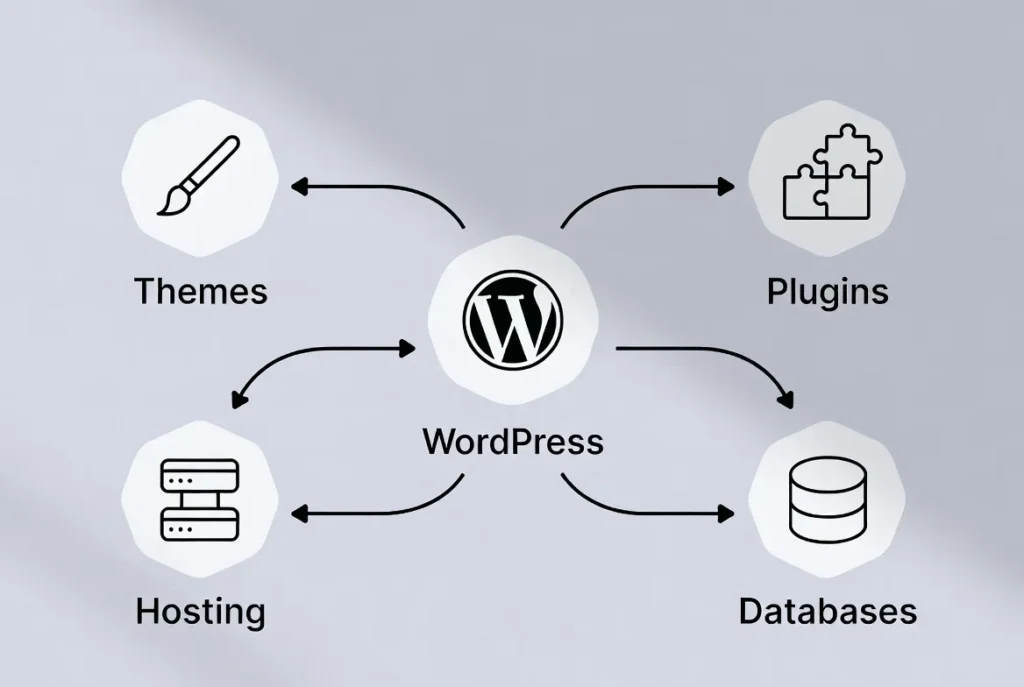
WordPress continues to evolve through strong community development, performance upgrades, and block-based enhancements. Headless WordPress attracts businesses that need modern, API-driven websites.
Its massive plugin ecosystem remains unmatched in customization flexibility. These factors help WordPress maintain leadership despite new competitors.
Faster websites improve user experience, increase conversions, and rank higher on search engines. WordPress developers now focus on caching, asset reduction, and optimized rendering. With Core Web Vitals influencing SEO, performance remains a priority. Themes and plugins must adapt to lightweight coding standards.
Headless architecture separates content management from presentation, enabling faster and more flexible UI development. Developers can use React, Vue, or other frameworks while keeping WordPress as the CMS. This improves scalability and performance across applications.
- Faster frontend
- Custom UI freedom
- API-driven workflows
Vertical Accordion – Template 04
Top Tech Events 2025
Discussion Topics-
- Google I/O showcases updates to Android, Search, Gemini AI, Chrome, and Workspace.
- Includes hands-on technical sessions and coding workshops.
- One of the world’s most anticipated developer events.
Venue: Shoreline Amphitheatre, California
Location: California, USA
Speakers
- Sundar Pichai (Google CEO)
- Google product & AI teams
Discussion Topics-
- Build focuses on cloud, AI, Copilot integrations, and modern app development.
- Engineers learn new tools, frameworks, and best practices.
- A core event for developers building on Microsoft’s ecosystem.
Venue: Las Vegas Convention Center, USA
Location: Seattle, USA
Speakers
- Satya Nadella (Microsoft CEO)
- Azure, Copilot, and .NET engineering leads
Discussion Topics-
- WWDC introduces major updates to iOS, macOS, watchOS, and visionOS.
- Developers get access to labs, sessions, and early APIs.
- The event sets the direction for Apple’s software ecosystem for the year.
Venue: Apple Park, Cupertino
Location: Cupertino, USA
Speakers
- Tim Cook (Apple CEO)
- Apple software & design teams
Discussion Topics-
- Known for Startup Battlefield, Disrupt features early-stage innovations.
- Startups compete for funding and global visibility.
- A hotspot for entrepreneurship and emerging technology.
Venue: Moscone Center, San Francisco
Location: San Francisco, USA
Speakers
- Founders of breakout startups
- Venture capital leaders from Sequoia, YC, a16z
Discussion Topics-
- One of the world’s largest tech conferences with 70,000+ attendees.
- Covers AI, web development, cybersecurity, startups, and marketing.
- A powerful networking environment for global tech leaders.
Venue: Altice Arena & FIL, Lisbon
Location: Lisbon, Portugal
Speakers
- CEOs, policymakers, AI researchers
- Influential voices in tech & digital culture
Vertical Accordion – Template 05
Frequently Asked Questions
Yes, Easy Accordion includes a smart AI FAQ generator that helps you create structured FAQs instantly. Instead of writing each question manually, the AI processes your topic and produces clean, helpful question–answer pairs.
Steps to Generate FAQs with AI-
- Select how many FAQs to generate
- Choose Your Content Source
- Add Keywords & Focus Areas
- Write a Short Prompt
- Click “Generate FAQs”
This is especially useful for onboarding pages or large support sections. You can edit the generated content and style it using the block editor to match your website design.
Yes, you can present your FAQs in a slider layout to make them more dynamic and visually engaging. This mode is ideal for showcasing featured questions on landing pages. Users can navigate through items using arrows, autoplay, or swipe gestures on mobile devices.
- Clean and minimal slider UI
- Autoplay and navigation controls
- Perfect for compact spaces
Yes, filterable FAQ categories allow visitors to view only the topics relevant to them. This is helpful when you offer multiple services or products with diverse question sets. Users simply click a category button to reveal matching FAQs, keeping the interface clean and structured.
- Category-based filtering
- Instant content switching
- Ideal for multi-topic websites
Yes, all three navigation features can work together seamlessly. This allows users to search within categories, browse paginated results, and filter topics effortlessly.
Such a system is perfect for documentation libraries, SaaS help centers, and advanced support pages. The combination ensures users always find answers quickly and efficiently.
Yes, you can adjust slider animations by modifying transition effects, movement speed, autoplay behavior, and navigation styles. These settings enable you to create smooth, brand-aligned transitions. Designers can also adjust spacing and typography to refine visuals further.
Yes, the plugin supports ARIA attributes, keyboard navigation, and screen-reader-friendly markup. Users can open and close accordion items using keyboard keys, ensuring compliance with accessibility standards. This is essential for educational institutions, government sites, and inclusive businesses.
Yes, pagination is available and helps organize large FAQ libraries into smaller, easy-to-read sections. Instead of overwhelming users with long scrolling pages, FAQs can be split into multiple pages for better accessibility. This also improves performance by loading fewer items at once. The page navigation controls make it simple to browse FAQs efficiently.
Vertical Accordion – Template 06
Frequently Asked Questions
The Premium version unlocks advanced layouts, customization controls, and priority support.
You’ll also get access to exclusive design options, extended integrations, and regular feature updates that are not available in the free version.
| Top Features | Free | Pro |
| Easy Accordion Blocks | 9 | 16 |
| Pre-made Accordion Templates | 8+ | 25+ |
| Dedicated Search Block for FAQs | ❌ | ✅ |
| Smart Ajax Pagination Control | ❌ | ✅ |
| FAQs Subtitle and Featured Icon | ❌ | ✅ |
| Anchor Link for Items | ❌ | ✅ |
| Multiple Item Open Together | ✅ | ✅ |
| Activator Event Control | ✅ | ✅ |
| Accordion Silder | ✅ | ✅ |
| More Extraordinary Features | Explore Full Comparison Table | Explore Full Comparison Table |
No, you don’t need to uninstall anything.
Simply install and activate the Premium plugin, and all your existing settings and content will remain intact.
After completing your purchase, you’ll receive a license key via email.
Go to the plugin’s License tab in your dashboard, paste the key, and click Activate to unlock all premium features.
Your plugin will continue working normally, but you’ll lose access to new updates, premium features, and customer support.
Renewing your license will immediately restore full access.
This depends on the license plan you choose.
Single-site licenses support one domain, while business or agency plans allow usage on multiple websites.
Learn More about the Pricing from here.
Yes. We offer a 14-day money-back guarantee. If you find that Smart Post isn’t the right fit for you, simply let us know within 14 days of purchase, and we’ll issue a full refund—no questions asked.
/